
UGC-style video is now the go-to format across social media platforms, whether it's TikTok or Instagram Reels, brand collabs or paid social ads. This kind of raw, vertical, creator-first content grabs attention, sparks engagement, and drives way more conversion rates than polished, traditional brand videos.
That’s thanks largely to built-in social proof… but also good editing that helps your videos be more persuasive.
So apart from great editing skills, creators and teams need editing tools designed for quick turnarounds, mobile workflows, and short-form formats.
That’s where UGC video editing apps come in, especially for UGC creator workflows focused on speed and performance.
They’re built to help you move fast: batch edit clips, drop in captions, add effects, and publish without missing a beat or falling behind social media algorithms and trends.
In this article, we’re comparing the best UGC video editing apps for 2026.
We highlight what each one does well, who it’s best for, and how they stack up for mobile creators, AI features, and scalable campaign management.
Let’s dive in.
UGC editing apps are built for content creators making short-form, vertical videos for TikTok, Instagram Reels, and YouTube Shorts across today’s top social media platforms.
Unlike traditional video editing software, these tools are all about speed and simplicity. They focus on mobile-first workflows, templates, auto-captions, and exports optimized for modern visual marketing.
Their popularity has grown alongside the rise of short-form videos.
In fact, HubSpot’s State of Marketing Report shows that short-form video delivers the highest ROI of any content format, beating out long-form video and static posts across social media.
In fact, the video editing market size is projected to grow from $3.54 billion in 2025 to $4.78 billion in 2030.
.webp)
That’s because these tools work.
They streamline video content creation, helping you publish more consistently while maintaining quality. That way, you can see an even higher return on investment.
UGC editing apps are built for how UGC creators, brands, and agencies actually work today. Fast-paced, mobile-first, and optimized for social media platforms.
Here’s why they matter:
The tools we’ve rounded up here are based on what content creators actually need in 2026. Things like mobile-friendly editing, video editing speed, and features that help UGC perform across paid placements on social media and beyond.
Some lean into artificial intelligence; others prioritize creative control, but all support modern UGC workflows.
CapCut is one of the most well-known UGC video editing apps out there for trends-driven short-form videos. We like that it’s deeply aligned with TikTok-style content and fast-moving social trends. That’s why we think it’s a top choice for creators making trend-based, platform-native videos.
CapCut’s all about speed and simplicity. Its mobile-first, template-heavy setup means you can create solid videos fast. We like how it packs in effects, transitions, music, and auto-captions in one place. This means you don’t have to bounce between apps just to stay on trend.
Creators rely on CapCut for TikTok and Instagram Reels, especially when producing viral UGC that needs to move fast across social media platforms. Templates and auto-captions make it easy to batch content and stick to a consistent posting rhythm.
Here are some more editing hacks you can use in CapCut:
If you’re working on more complex or highly customized edits, the controls can feel a bit limited.
Creators prioritizing speed, trends, and creator-first video editing workflows.
Adobe Creative Cloud is typically seen as the go-to toolkit for pro-level video editing. This is especially true for creators managing large volumes of creator content and polished brand work.
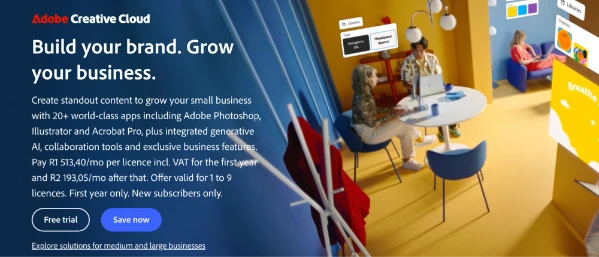
Adobe really shines when it comes to depth and flexibility. Tools like Premiere Pro and After Effects let skilled editors get super precise with timelines, color grading, motion graphics, and advanced visual effects. This goes way beyond what mobile-first UGC apps can handle.
If you’re making polished UGC, product demos, or brand-focused content, that extra control helps level up your production quality.
We see creators and agencies use Adobe Creative Cloud for advanced campaign management, long-form edits, and high-end content marketing assets. The shared libraries and collaboration tools make it easier for teams to work together across lots of video content.
This matters, because, according to Infince, teams using collaboration tools can be 20–30% more efficient. Even more, shared asset libraries can speed workflows by up to ~8× versus traditional methods.
For quick, trend-driven UGC, Adobe can be overkill. It has a steeper learning curve, and while Adobe does offer mobile tools, its most advanced video editing workflows are primarily desktop-based. This makes it less ideal for fast, on-the-go edits.
Here’s a quick video that tells you whether Adobe Creative is worth the cost:
Experienced teams producing high-volume, premium UGC.
Vidlo is purpose-built for creating UGC-style video ads, paid ads, and structured paid social workflows. It’s designed to help brands and creators turn short-form videos into paid social assets that are built to perform.
Vidlo is clearly made with performance marketers in mind. We like how it leans into ad-friendly formats, creative briefs, and structured outputs that reflect how paid social campaigns are planned and executed. Instead of open-ended editing, it focuses on speed, consistency, and repeatability. In our experience, this makes sense when conversions are the goal.
Creators working with brands use Vidlo for ad-focused UGC tied to conversion rates, customer testimonials, and structured briefs. Since the platform is built around specific placements and outcomes, it helps reduce revision cycles and keeps everyone aligned from the start.
It’s not designed for casual social posts or organic storytelling. Creative flexibility is more limited compared to general-purpose video editors.
Creators producing performance ads within structured campaign management tools.
InVideo AI uses video generators and AI avatars to simplify production, even for folks without any editing background. Instead of editing timelines by hand, it turns text into finished videos fast.
We appreciate how InVideo AI’s script-to-video setup cuts out a ton of work. You start with a text prompt or script, and the platform builds your video using templates, stock footage, AI voiceovers, and simple text-based tools. We find that it’s a big time-saver and makes the whole process way more approachable.
Marketers and solo creators usually turn to InVideo AI for quick social videos, explainers, and digital products. Its AI-driven workflow helps them stay consistent without needing deep editing skills or complex software.
You won’t get as much creative freedom as you would with manual editors. Also, while InVideo offers mobile access, its core AI video creation experience is primarily browser-based rather than mobile-first.
Creators prioritizing speed and automation over manual control and agencies/ brands who lack traditional editors.
Creatify is built primarily for generating UGC-style video ads fast using artificial intelligence. It’s focused on speed, scalability, and creative testing instead of manual editing or long-form storytelling.
Creatify takes most of the heavy lifting out of ad production. You plug in a script, and it auto-generates short-form videos using AI voiceovers, ready-made layouts, and scene automation. We found it works great for quickly producing multiple variations, especially when you’re testing different creative angles.
Side note: That matters, because only about 1-3 out of every 10 ad creatives tested turn out to be strong winners, so batching variants helps you find what clicks faster.
Creators and marketing teams lean on Creatify when they need batches of ad creatives for paid social campaigns and performance testing. Instead of polishing one video, the goal is rapid iteration: testing different hooks, messages, and formats to see what lands.
This tutorial should help you understand more about it:
This isn’t the tool for organic storytelling or personality-driven content. The output leans more structured and ad-focused than spontaneous or creator-led.
We recommend this to brands focused on fast iteration and creative testing.
DaVinci Resolve stands out for advanced color grading, audio tools, and support for 4K video. It’s rooted in professional film and post-production workflows, and it shows.
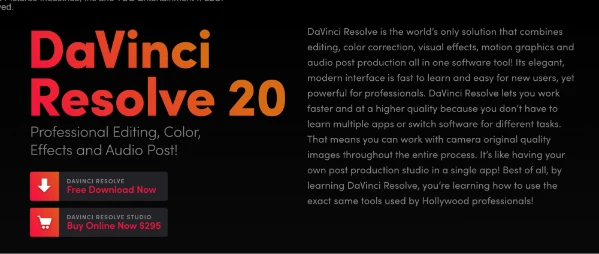
DaVinci Resolve gives you serious control in editing, color correction, or audio. The precision you get here is next-level compared to most UGC-first tools. Its color grading capabilities are especially strong, which is a big plus for creators who care about visual consistency and high production value. And the free version is surprisingly powerful for what it offers.
Creators choose DaVinci Resolve for polished edits, product demonstrations, and cinematic UGC. It’s typically the tool of choice when you’re aiming for both strong storytelling and top-tier visual quality.
It’s not exactly beginner-friendly. The learning curve is steeper, and because it’s desktop-based, it’s not ideal for fast, mobile-first workflows.
Experienced creators needing professional-level video editing control.
Canva is a go-to for creators who want easy, template-driven video editing without diving into complex software. It’s built for speed, ease of use, and keeping things visually consistent.

Canva’s drag-and-drop interface makes video editing super approachable, even if you’ve never edited before. With pre-made templates, built-in animations, and simple tools, you can turn clips into clean, short-form videos fast. It’s designed so you can jump right in without needing to figure out a bunch of technical stuff.
We see creators use Canva for quick UGC-style videos, shoppable content, and simple client deliverables with a consistent visual aesthetic. Here’s a good example:
One standout feature is brand kits. They’re a huge help for keeping fonts, colors, and styles consistent across different clients, campaigns, or platforms.
Canva isn’t built for advanced video editing. If you need tight timeline control, detailed audio edits, or complex effects, you’ll likely run into limitations.
Creators balancing speed, brand consistency, and ease of use.
VEED.io takes a browser-based approach to editing, making it convenient for creators to produce UGC-style videos without needing to download software or stick to one device. It’s built around speed, accessibility, and social-ready output.
Descript’s text-based editing feels natural, especially if you’re used to writing scripts. You can cut or rearrange video just by editing the transcript. Delete a sentence, and it’s gone from the video too. With built-in transcription, screen recording, and audio cleanup, it can replace several tools and keep everything in one place. It’s a huge time-saver for dialogue-first projects.
Descript is a go-to for talking-head content, tutorials, interviews, creator stories and podcast-style videos. It’s especially helpful for explainers, creator stories, and walkthroughs. Basically, we recommend it anywhere the message matters more than visual effects.
If you’re looking for advanced visuals, Descript might not be enough. It’s light on motion graphics, transitions, and effects compared to more traditional editors.
Creators focused on dialogue-first content.
Picking the right UGC video editing app really comes down to how you create, how fast you need to move, and how much control you want over the final product. The best tool should support your UGC sourcing, workflow, and scale.
If you’re making short-form, trend-driven videos, mobile-first apps built for speed are usually your best bet. For talking-head clips, tutorials, or podcast-style UGC, you’ll probably find browser-based or text-based editors more manageable.
Creating straight from your phone? Stick with mobile apps that are built for quick edits. If you bounce between devices, a browser-based editor gives you more flexibility. Need fast output? AI-powered tools can save time. Want full creative control? Professional editors offer the depth you need.
Some tools are ready to go out of the box, while pro editors take more time to learn. Pick something that fits where you're at now but also gives you room to level up later.
Look for features like templates, automation, and batch editing to speed up production. Free plans are great to start with, but watch for limits on exports, captions, or branded watermarks as you grow.
Try out a few tools using real content whenever you can. You’ll quickly see which one fits best with how you work.
As short-form video continues to dominate social media, creators are leaning on smarter tools to scale output without losing quality.
In 2026, the best tools will combine content aggregation, automation, and analytics in one streamlined content studio.
The smart move? Choose apps that work for your current needs, give you room to grow, and support long-term brand loyalty. Start by testing what fits your workflow best, and build from there.
Need even more support?
At inBeat, we help teams connect the right tools with the right UGC creators to build content systems that scale. Book a call to explore what that could look like for you.
UGC video editing apps are made for quick, short-form content. Think social-first, mobile workflows, templates, and automation. Traditional editing tools are more about manual timelines and long-form video production.
Look for tools built around vertical video, quick exporting, captioning, and platform-ready formats. These work best for TikTok, Instagram Reels, and other fast-moving social channels.
Definitely. A lot of pros use AI tools to speed things up or test ideas, especially for ad-style or high-volume work. They’ll still switch to manual editing when they need more creative control.
Yes! Many mobile apps are super beginner-friendly. With templates, built-in effects, and auto-captions, you can create polished videos without needing pro skills.
Focus on vertical video support, fast editing workflows, captions, smart automation, and flexible templates. Basically, anything that helps you move quickly and aligns with what social platforms are rewarding right now.
Free tools can be great for getting started or posting organic content. But for brand deals and paid campaigns, you’ll likely need paid features like watermark-free exports, pro-level captions, and higher-quality video output.
